Blumira is a security monitoring product that helps lean IT and security teams detect and prioritize threats. Fundamentally, it is a data and logs platform. Customers were able to send logs through Cloud Connectors and sensors, but that covered a limited set of sources. HTTP Ingestion changed that: a standardized way to connect any log source that can send data over HTTP, plus a Universal option for sources without a dedicated integration. It was one of the most requested capabilities from customers, with sales colleagues hearing the same request repeatedly from MSPs. Working closely with our PM and engineering team, I designed a setup flow that adapts to whichever vendor a customer selects, along with a detail page for managing each connection after it goes live.
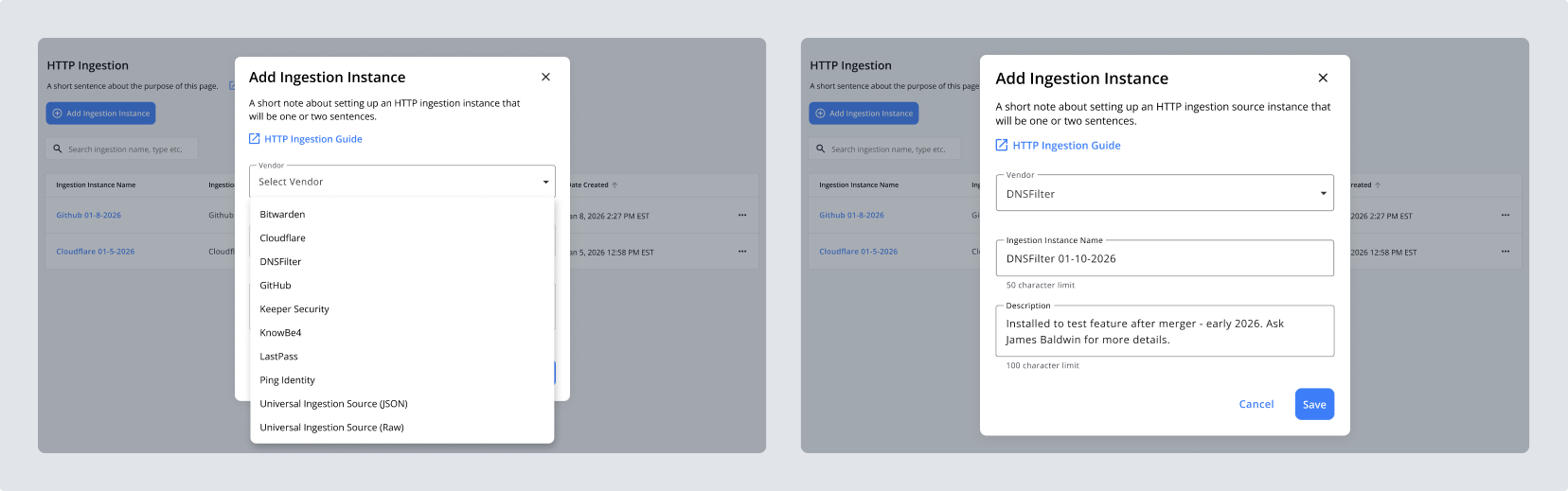
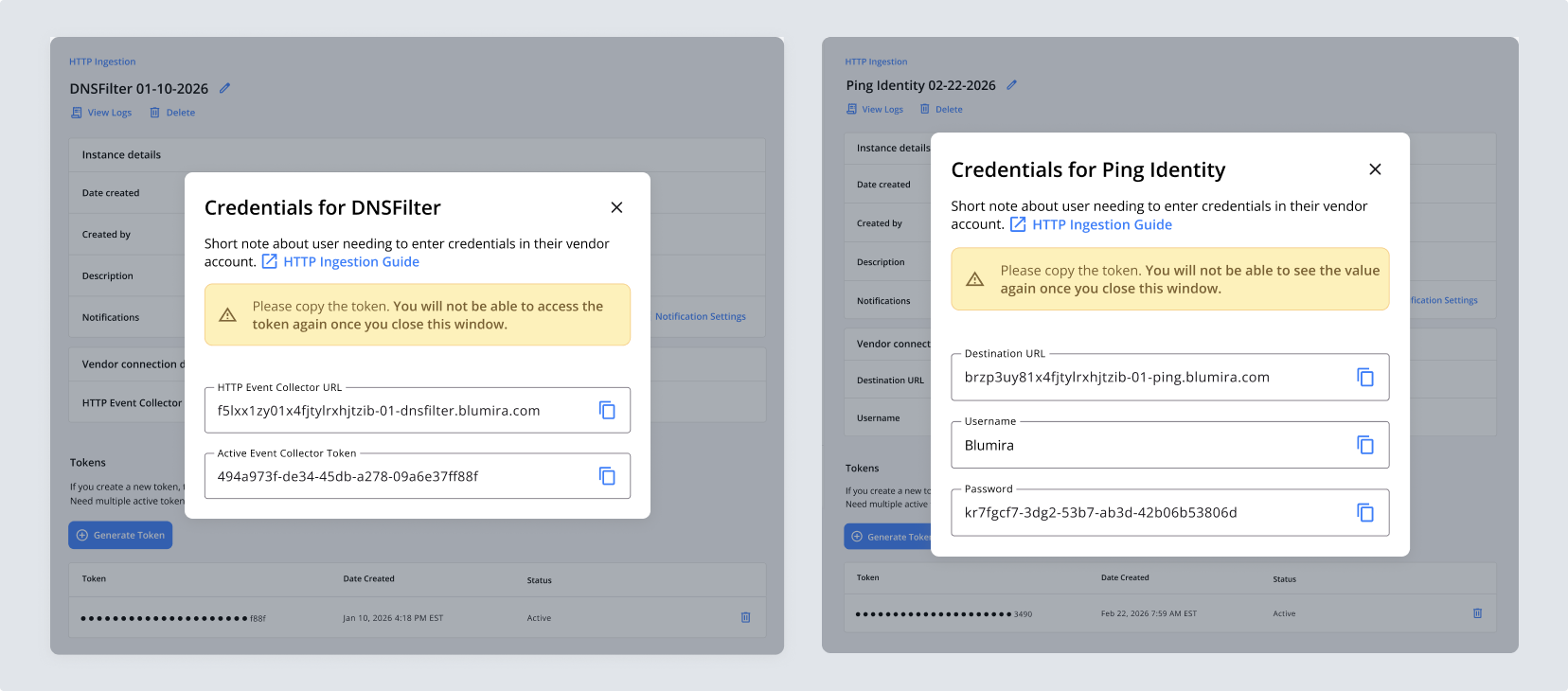
Each vendor has slightly different credentialing requirements. DNSFilter takes an HTTP event collector URL and an active event collector token. Ping Identity needs a destination URL plus basic authentication, with Blumira as the username and the token as the password. An existing pattern in the product handled this kind of setup through a large dialog where you picked a vendor from a grid of buttons, which felt cumbersome and disjointed. Instead, I designed a single setup dialog where selecting a vendor repopulates the fields beneath it, along with a prefilled instance name customers can edit and a description field where they can add details about the instance. On save, credentials appear immediately so customers can add them to the vendor’s own platform.
The flow also includes a Universal data source, which lets customers send us logs from tools that have no dedicated integration. The pattern itself was built to extend as well. As we added new vendors to the platform, the same flow could accommodate them without a redesign.
I built a wired-up prototype of the full flow in Figma and used it three ways: reviewing it with two customers, assessing the flow myself to find what was not working, and collecting feedback from colleagues, including a solutions architect who works closely with customers on complex technical issues. My own review of the prototype cut a couple steps that were unnecessary or could be consolidated. My solutions architect colleague suggested calling the generic path Universal, and that is the name that shipped. Customer feedback also reshaped the design of the detail page, which is outlined in the next section. Once the flow settled, I built a final prototype for the engineers building the feature, so they could see it end to end.
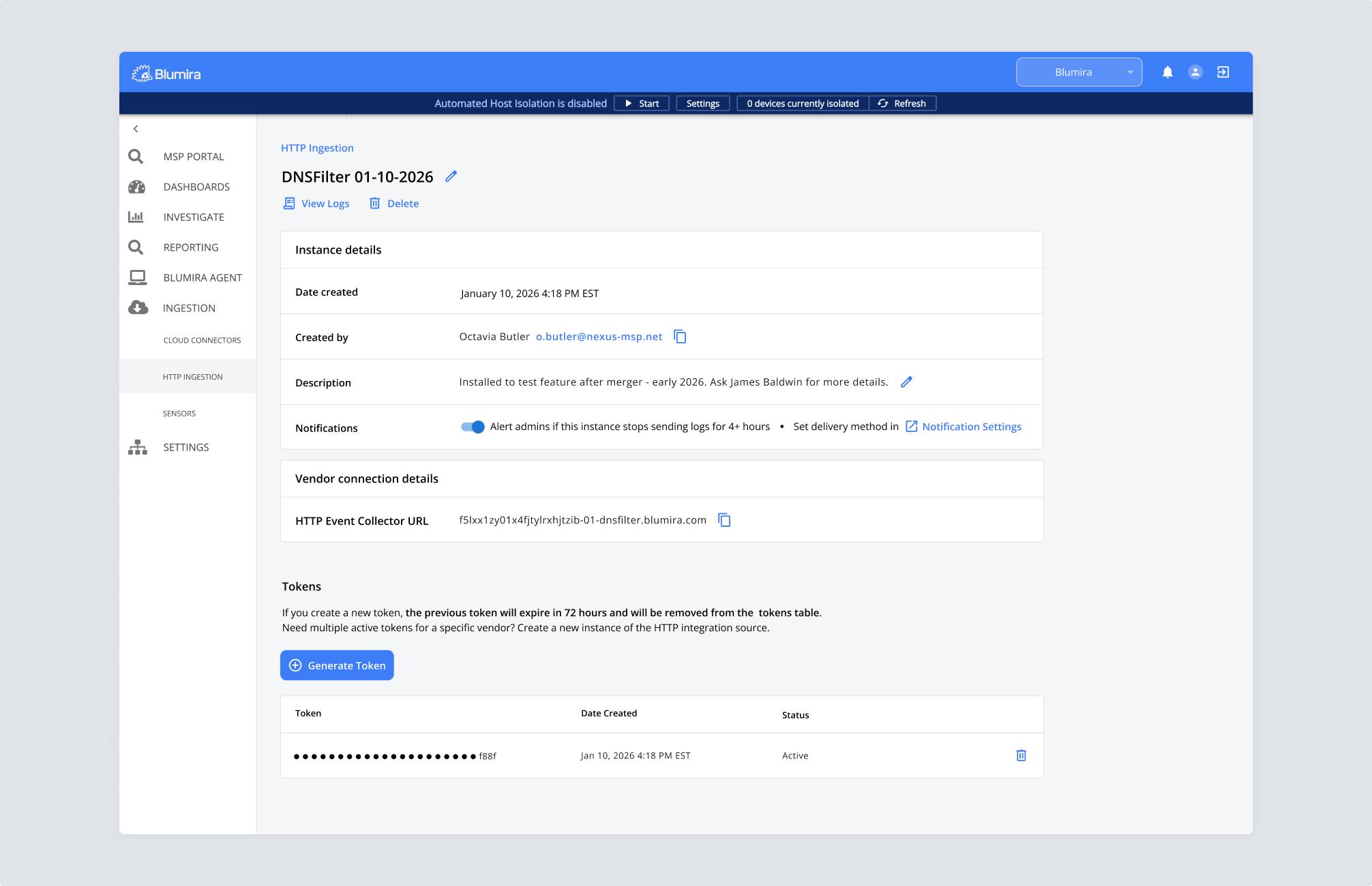
Creating a connection takes a few minutes. Managing it goes on indefinitely, so I designed a detail page for each HTTP ingestion instance. A dedicated page like this was mostly new for the product. An older feature had subpages, but it was dated and hard to use.
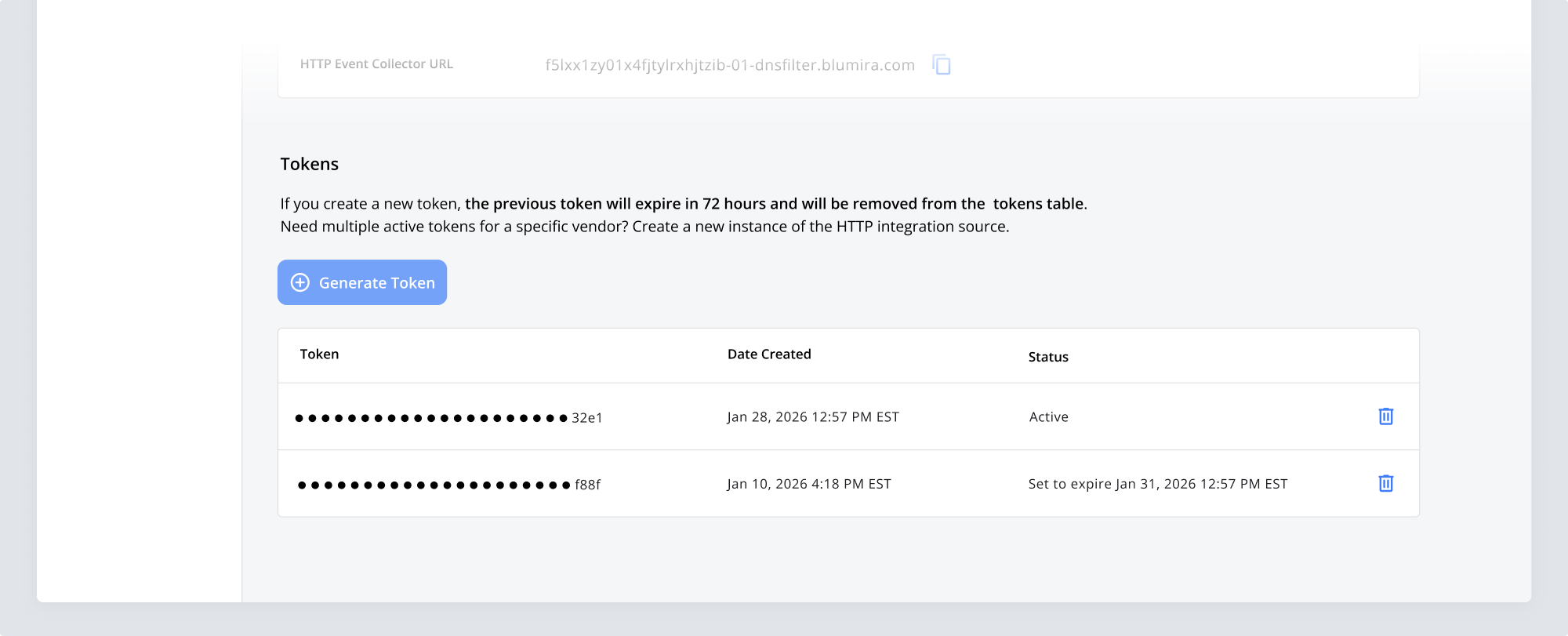
To give customers an audit trail, the page lists the date an instance was created and the person on their team who created it. The description field from the setup flow appears here as well and stays editable, so teams can record details like where a token is deployed. From this page, customers can also generate a new token whenever they need to rotate credentials. While only one active token is permitted at once, expired tokens stay listed in a table rather than immediately disappearing, so teams can keep a record of which token is active and which have expired.
Importantly, customer feedback helped shift the active token parameters. Initially, we planned a 24 hour buffer period where the new token and the old token would both stay active, to give customers time to swap out the old token for the newly generated one. Both customers flagged the same problem: 24 hours was too short based on their internal protocols, so we decided to extend the buffer to 72 hours.
40+ different log source types now connect through HTTP Ingestion, and the majority use the Universal flow, meaning customers are sending data from sources well beyond the vendor integrations available at launch. Months later, that flexibility became the foundation for a new native DNSFilter integration, explicitly enabled by the HTTP ingest release, turning a data-intake feature into product infrastructure.
Beyond ingestion, I designed the full pattern, from the main table through setup to the instance detail page, so the same user flow and interactions could be reused for other features in the product.